
Desk lamps and bias lighting for eye comfort (2026)
Overhead light makes a desk tiring. A warm desk lamp plus a bias light behind the monitor fixes most screen eye-strain for under $50 — here's the color temperature, placement and gear that works.
Some links on this page are affiliate links. If you buy through them we may earn a small commission at no extra cost to you. As an Amazon Associate we earn from qualifying purchases. It never changes what we recommend.
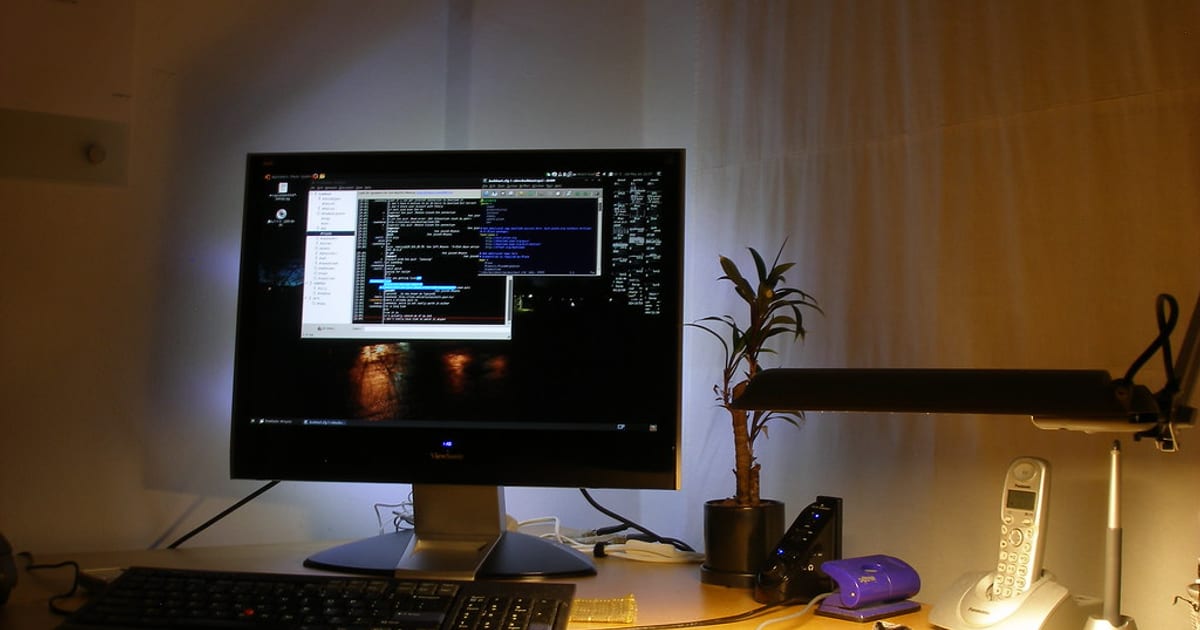
If your eyes are tired by mid-afternoon, the fix is usually two lights, not one. Add a bias light — a warm LED strip stuck to the back of the monitor that washes the wall behind it — and a warm desk lamp off to the side, both around 2700–3500K, and turn the overhead down or off. The reason a bright screen tires you is contrast: a glowing monitor floating in a dim room forces your pupils to keep readjusting. Lift the light immediately around and behind the screen and that strain drops. Total cost is usually under $50, and it's the highest-impact comfort upgrade on the whole desk.
The links below go to search-scoped listings so you can compare current options. Some are affiliate links; see the disclosure at the end.
Why overhead light alone is the problem
Ceiling lights are designed to light a whole room evenly, which is the opposite of what a desk wants. They cast a flat, cool wash that reflects off the screen as glare and leaves the area right behind the monitor darker than the monitor itself. That dark-wall-behind-a-bright-screen gap is the exact high-contrast situation WCAG's guidance is built around for text, and the same principle applies to your whole field of view: reduce the jump between the brightest thing (the screen) and everything around it, and reading gets easier for hours. Cornell's ergonomics work makes the related point about glare — position lights so they don't reflect off the panel into your eyes.
Bias lighting: the cheap trick that does the most
A bias light is just an LED strip on the back edge of the monitor, pointing at the wall, not at you. It raises the brightness of the surface directly behind the screen so the contrast between screen and background shrinks.
Get this right:
- Color temperature: 6500K (D65) is the "correct" answer, but 2700–4000K feels calmer for evening work. If you edit photos or care about color accuracy, use a proper 6500K strip so the wall behind the screen is neutral. For everyone else, warm-white is more relaxing at night.
- High CRI (90+) if you can. Cheap strips at CRI 80 tint the wall slightly green or magenta. A CRI-90+ strip renders the wall as a true neutral, which is the whole point.
- USB-powered off the monitor is the tidy option — it turns on and off with the screen and adds no wall plug. Check your monitor has a USB port that stays powered.
- Placement: run the strip around the top and sides of the monitor's back edge, a few inches in from the edges so the light spreads instead of showing hot dots.
Compare options in monitor bias lighting on Amazon.
The desk lamp: warmth and a task light you can aim
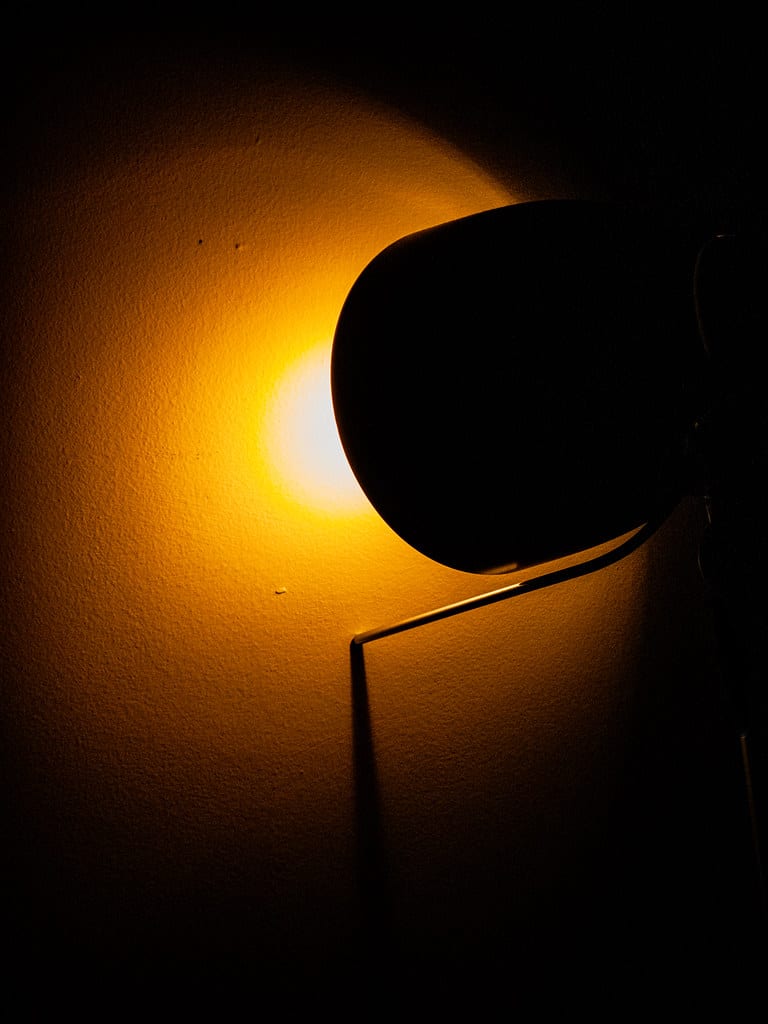
The bias light handles the background; the desk lamp handles the page, the notebook and your hands. Two things matter.
Color temperature. For a workspace that's calm in the evening, 2700–3000K (warm white) is the pick. If you do detail work — reading fine print, hobby electronics, makeup for a call — a lamp with adjustable temperature that climbs to 4000–5000K in the daytime is worth the small premium.
Position, so it doesn't become glare. Put the lamp on the opposite side from your writing hand (left side if you're right-handed) so your hand doesn't cast a shadow on what you're doing, and angle the head so you never see the bulb directly and it never reflects off the screen. A lamp with a weighted base or a clamp keeps the desk surface clear — pair it with a clear surface and a good desk mat and the whole desk reads as calm.
The two-light rule: one soft warm light behind the screen (bias) and one aimable warm light beside you (task lamp). Kill the overhead. Do only that and most screen eye-strain quietly goes away.
Skip these
- RGB everything. Color-cycling strips are fun for a photo and useless for comfort — the color is constantly changing the contrast behind your screen. If you want an accent-lit look, do it deliberately: RGB desk setup ideas covers doing it tastefully without wrecking your eyes.
- Ring lights as your only desk light. Great for a webcam, bad as ambient light — they're a bright point source aimed at your face. Use one for calls, not for working.
- Ultra-bright "10000 lux" desk lamps unless you have a specific reason. More lux next to a screen just widens the contrast gap again.
How lighting ties into the rest of the setup
Lighting is step four in the build order for a reason: it only pays off once the monitor is at the right height and distance, because a well-placed light can't fix a screen that's too bright, too close or badly angled. Get the position sorted first with monitor arms and desk ergonomics, then layer the light on top. The full sequence is in the complete guide to building a desk setup.
Next steps

The recipe: a CRI-90+ bias light behind the monitor, a warm aimable desk lamp beside you, overhead off. Compare bias lighting on Amazon, see lit desks in the desk setup galleries, and read more comfort upgrades in the desk setups topic.
About this article
- Published by Ines Okafor — Ines Okafor sets up monitors, lighting and ergonomic workspaces and writes about what actually reduces strain for The Desk Nook.
- Claims fact-checked against cited sources: Yes
Keep reading
Laptop stands and docking stations for a home office (2026)
Working on a laptop all day is an ergonomic trap: the screen and the keyboard are attached, so if the screen is at eye level the keyboard is too high, and if…
Best large desk mats, and why they actually matter (2026)
If you buy one accessory for a desk, make it a large desk mat, and get one that covers the keyboard, the mouse and the space in front of both — roughly 35 x 17…
A complete budget desk setup under $300 (2026)
You can build a genuinely comfortable desk setup for under $300 if you spend on the parts your hands and eyes touch and save everywhere else. Here's the whole…